
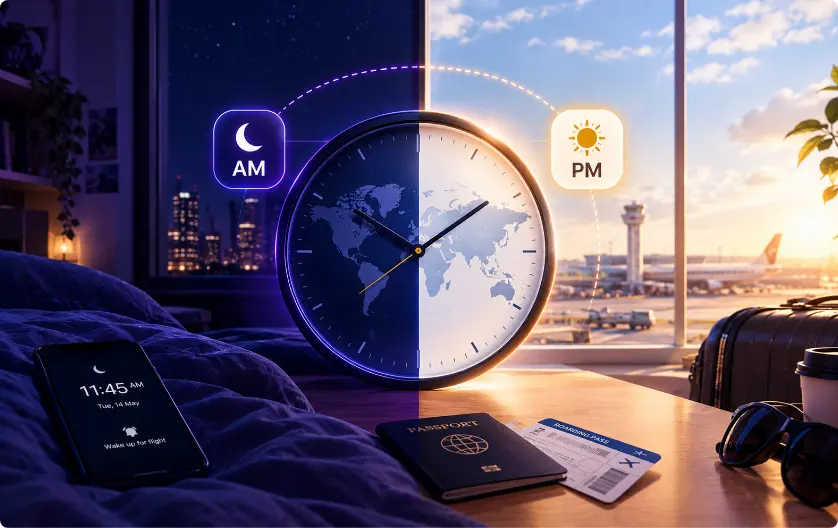
Missing a flight is one of the worst feelings in travel, and it generally comes with a quiet voice asking, “How did I get this wrong?” Most people think they were reckless, and that they must have misread the ticket, left too late, or simply not paid attention.
However, for a lot of travelers, the truth is less about negligence and more about a problem built right into how flight times work. Flight times are normally shown in the local time of the relevant airport, but the time zone may not always be obvious at a glance. All that leaves you doing time math in your head, often while tired, rushed, or far from home.
A small change and suddenly you’re standing at a closed gate wondering where the time went. The question isn’t really whether people are careful enough. It’s whether anyone should have to carry that much in their head in the first place, and whether time zones deserve far more of the blame than they usually get.
Are Flight Departure Times Based on Local Time?
Yes. Flight departure and arrival times are normally shown at the local time of the airport involved. The scheduled departure time refers to the local clock at the airport where the flight leaves. Most flight data standards specifically treat flight-related departure and arrival times as local times for the relevant airport.
So, if your ticket says your flight leaves Dubai at 8:00 p.m., that means 8:00 p.m. Dubai local time. You don’t need to convert that time into your home time if you are already in Dubai. The same rule applies when you arrive somewhere else. If your ticket says you land in Dubai at 10:30 p.m., that means 10:30 p.m. Dubai time, not 10:30 p.m. in the time zone you were using when you booked the flight.
This is why international flight itineraries can sometimes look confusing. The departure and arrival times may be several hours apart, even when the actual flight is shorter than the difference between the two numbers suggests. The reason is that the aircraft travels between places that use different clocks.
How Can Time Zones Make You Miss a Flight?
Flight times are shown locally. The departure time is based on the local time at the airport you’re leaving. The arrival time is based on the local time at the airport where you land. Your ticket may simply show the two times without making you think about the difference. If you’re used to reading times without checking the location attached to them, it’s easy to assume both times work from the same clock.
The confusion starts when you are travelling across time zones and continue thinking in the time you are used to at home. This can become even harder when your trip includes a connection. You may therefore arrive at the airport based on a time that feels correct to you but is already too late according to the airport’s local time. The numbers can look perfectly reasonable even though they belong to different clocks.
The same problem can happen after a flight is delayed or canceled. If the airline gives you a new date and departure time, you now have a completely different schedule to follow. Although calendar apps can handle time zones differently, depending on how a flight was entered and how the calendar handles time-zone changes – the event may still be displayed differently when you travel.
What Happens If You Miss a Flight Because of the Time Difference?
Missing a flight can create problems far beyond the flight itself. If you miss your first flight, you may need to contact the airline and arrange another one. If you were supposed to connect to another flight, that connection could also be affected. You may end up paying for another ticket or dealing with rebooking rules and even get to pay for an unexpected hotel, transportation, or food while waiting for the next available flight.
A one-hour mistake can turn into several hours at an airport. A missed connection can turn into an overnight stay. And if you’re travelling for a wedding, business meeting, family event or another fixed appointment, you may not get another chance to make it. This is the very reason why checking the correct time zone before a flight isn’t just a small travel detail. It can protect the rest of your itinerary from one simple mistake.
Can Your Phone Show the Wrong Time for a Flight?
Your phone changes its clock automatically when you travel. Although that’s helpful, it doesn’t completely remove the risk of confusion. Your phone knows what time zone it is currently in. This doesn’t always mean it knows which time zone you intended to use when you created a flight reminder or calendar event.
You could save a flight while you’re at home. Your calendar stores the event according to a particular time-zone setting. Then you travel and your phone switches to another time zone. Now the same flight can appear differently from how you originally expected.
Travel apps can also have time-zone settings that affect how itinerary information appears. Even when the underlying flight information is correct, a calendar or device setting can make the displayed time confusing.
The important thing to remember is that automatic time-zone changes are helpful, but they don’t replace checking the flight local time. Your phone can change the clock, but it cannot know which clock you were thinking about when you saved the reminder.
How Can I Avoid Missing a Flight Because of a Time Zone?
The simplest solution is to stop treating the flight time as a number on its own. A time like 7:00 a.m. does not tell you much on its own. You also need to know which airport that time belongs to, and which local time zone applies there. This becomes especially important when you are traveling between countries or saving your flight details while you are still at home.
Instead of saving:
Flight — 7:00
save:
Flight — 7:00 a.m. — Departure Airport — Local Time
This gives you the information you need when checking your flight or setting up a reminder. You know the scheduled time, the airport it belongs to, and the local time you need to follow. You are not left trying to remember which time zone the flight uses or converting the time yourself when you are already busy preparing for your trip.
The Mint Memo Flight feature is designed to keep these details together. You can add your flight manually by entering the flight information and selecting the departure airport or simply taking a photo of your ticket. Mint Memo’s AI can read the information from the ticket and help fill in the flight details for you. This lets the relevant local-time information stay in one place instead of having to keep checking your ticket, phone, calendar, or a separate time-zone converter.
How Does Mint Memo Help with Flight Time Zones?
Mint Memo has a ‘Flight’ feature that is designed to keep your important travel information together instead of making you piece it together from your ticket, calendar, phone and separate time-zone searches.
This becomes especially useful when you’re traveling internationally or when an airline cancels and reschedules your flight. If your new flight leaves on a different date and at a completely different time, you can update the reservation with the new details instead of relying on an old reminder or trying to remember which time zone applies.
All you have to do is:
1. Select Your Airport
Start by selecting the airport your flight leaves from. Mint Memo has a built-in database of airports around the world, so you can find the airport without separately searching for its time zone.
Each airport has its correct time zone saved. When the user selects an airport, Mint Memo automatically knows its time zone. The time zone is saved with flight information. When Mint Memo sends a flight reminder, it uses the correct time zone.
2. Add Your Flight Details
Once you’ve selected the airport, add the rest of your flight information. You can enter the details manually if you already have your ticket or booking confirmation in front of you. You can add the flight information, including the date and scheduled departure time.
If you don’t want to type everything yourself, you can use the other option by taking a photo of your flight ticket. Mint Memo’s AI can read the information from the ticket and use it to create reminders based on real time. Instead of copying the flight number, airport, date, and scheduled time one by one, you can let the app read the information from the ticket.
Update It If Your Flight Changes
The same idea becomes useful if the airline changes your plans. If your flight is canceled or rescheduled, the new flight may have a different date, departure time, or even a different airport.
Update the reservation with the new flight details instead of continuing to rely on the old schedule. This way, the airport and its relevant time-zone information stay connected to the new flight.
This way you aren’t left with an old “10:15” reminder for a flight that no longer exists. You have an updated reservation that reflects the schedule you’re actually travelling on.
Final Thoughts
Most missed flights caused by time zone confusion are not the result of carelessness. They happen because a flight ticket shows a time without always making the local time zone obvious.
When you are tired, busy, or traveling between countries, it is easy to read the time incorrectly. If this has happened to you, the issue may have been the way the information was presented rather than a simple mistake on your part.
The good news is that you do not need to keep all these details in your head. Mint Memo links your flight time to the correct airport and its time zone, helping your reminder stay connected to the right local time.
You can add the flight manually or take a photo of your ticket, then update the reservation if your plans change. This gives you one place to keep the details you need, so you can focus on your trip instead of calculating time zones at the gate.